 +1 302 486 0000
  +61 2 5129 0955
  +44 7828 573520
  +44 7828 573520
1. Clean Up Your Audience Like Marie Kondo
Before hitting send, make sure your Cold Emails list isn’t a hot mess. No one’s got time for outdated contacts or dead email addresses. A dirty list = more bounces = spam alerts = your emails ghosted forever.
Why It Matters:
- High bounce rates tell email providers, “Hey, this sender’s sketchy.”
- Bad data means wasted effort (and budget).
How CRM Messaging Saves the Day:
With its Audience Cleanup feature, you can:
- Remove duplicates, typos, and invalid addresses faster than you can say “unsubscribe.”
- Segment contacts into specific buckets (based on industry, role, or whatever floats your boat).
- Ensure every email hits a real inbox. Clean list, clean vibes.
2. Build Cold Emails That Don’t Scream Spam
Picture this: You open an email. It’s all caps, way too sales-y, and feels faker than a staged TikTok skit. What do you do? Delete.
Here’s the fix:
- Catchy Subject Lines: No clickbait! Keep it short, intriguing, and real.
Example: “Quick question about your marketing strategy” - Make It Personal: Nobody wants to be “valued customer.” Use names, jobs, or something relatable.
- Short and Sweet: Think of it like a meme caption—not a full-blown essay.
Pro Tip from CRM Messaging: Use its Dynamic Personalization feature to customize cold emails in bulk. Add names, companies, or even random fun facts to make your emails pop.
3. Warm Up Your Email Account
You wouldn’t run a marathon without stretching first, right? Same thing with email accounts. If you suddenly send 10,000 cold emails from a cold address, email providers will be like, “Umm…spam?”
Here’s the warm-up plan:
- Start with 20–50 emails a day.
- Gradually increase over 2–3 weeks.
- Send to engaged contacts first to build trust with email providers.
How CRM Messaging Helps:
Its Automated Warm-Up Tool makes it super easy. It sends small batches of cold emails automatically, mimicking human behavior. You just sit back and sip your coffee.
4. Personalization at Scale (Because Everyone Hates Robots)
Yes, you’re sending 10,000 emails. But each one should feel like it was handcrafted at midnight just for them.
Here’s how you make it happen:
- Add personal details. Name, company, recent news—whatever makes them feel seen.
- Use conversational language. Gen Z-style casual is where it’s at. (Just don’t overdo it with emojis 🤓).
- A/B test variations to see what hits.
Why CRM Messaging Is the GOAT:
With AI-driven personalization, your cold emails can sound unique—even at scale. It’s like writing love letters… but to leads.
5. Stay Off the Spam Radar
No one’s reading your email if it’s chilling in the spam folder. The secret? Deliverability.
Golden Rules:
- Authenticate your domain (SPF, DKIM, DMARC—don’t worry, CRM Messaging does it for you).
- Validate every email address before sending.
- Keep your email design simple—images are cool, but too many can scream “marketing.”
6. Multi-Channel Outreach = Winning
Look, email is great, but it’s not the only way to reach people. Why limit yourself? Combine emails with:
- WhatsApp for those “quick follow-up” messages.
- SMS for direct, no-frills communication.
- Phone Calls when it’s time to seal the deal.
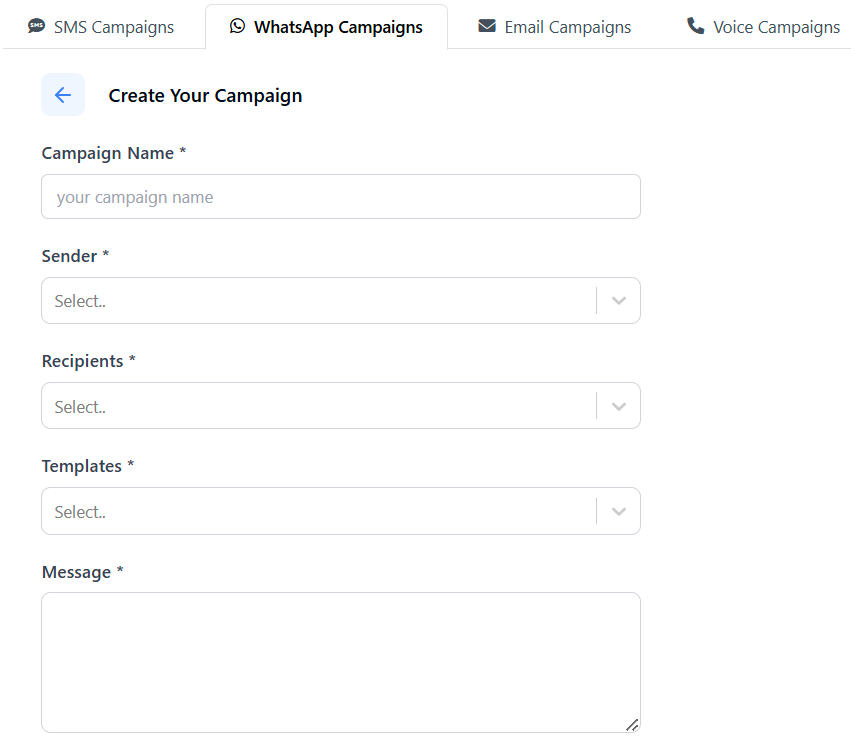
Why CRM Messaging Rocks:
You can manage emails, SMS, WhatsApp, and calls in one dashboard. Talk about efficiency.
7. Follow Up Without Being Pushy
The first email is just the intro. Most replies happen after 2–3 follow-ups. But here’s the thing—don’t sound like a broken record.
What to do:
- Change your angle with each follow-up.
- Be polite but confident.
- Stop after 3–4 attempts. Nobody likes a stage-5 clinger.
CRM Messaging’s Secret Sauce:
Its Automated Follow-Up Workflows let you schedule follow-ups based on their behavior—did they open, click, or ghost you? CRM Messaging knows what’s up.
8. Analyze, Improve, Repeat
The work isn’t done after you hit send. Check your stats to see what’s working and what’s not.
Here’s what to track:
- Open Rates: Are your subject lines pulling their weight?
- Reply Rates: Are your emails hitting the right pain points?
- Bounce Rates: Is your list squeaky clean?
CRM Messaging’s dashboard gives you all this info (and more) in real-time. No guessing games, no messy spreadsheets.
The TL;DR
Sending 10,000 cold emails is totally doable. The trick? Work smarter, not harder. With CRM Messaging, you’ve got all the tools you need: audience cleanup, automation, personalization, and multi-channel reach.
Ready to slay your next campaign? It’s time to turn those cold emails into hot leads. Let’s gooo! 🚀